
What Is an Electronic Lab Notebook? A Comprehensive Guide
 Request a Demo
 Download Brochure
Why Labs Need ELN
Documentation is essential in every laboratory, especially when researchers handle multiple experiments, test results, and instrument data every day. Paper-based lab notebooks can make records difficult to organize, search, tag, and retrieve as experiments increase.
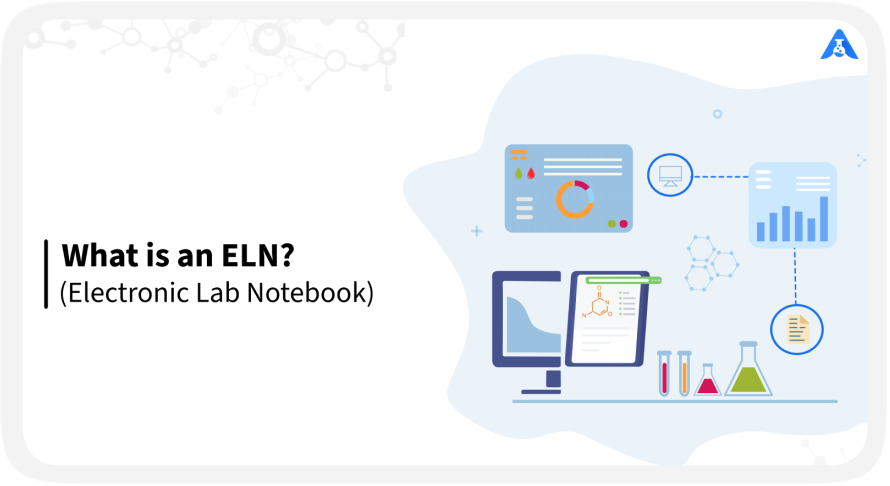
An Electronic Lab Notebook (ELN) simplifies laboratory documentation by replacing paper records with secure digital workflows. ELN software helps researchers, lab analysts, and scientists efficiently capture, organize, and manage experimental data while improving laboratory data management, collaboration, traceability, and productivity.
What is an Electronic Lab Notebook?
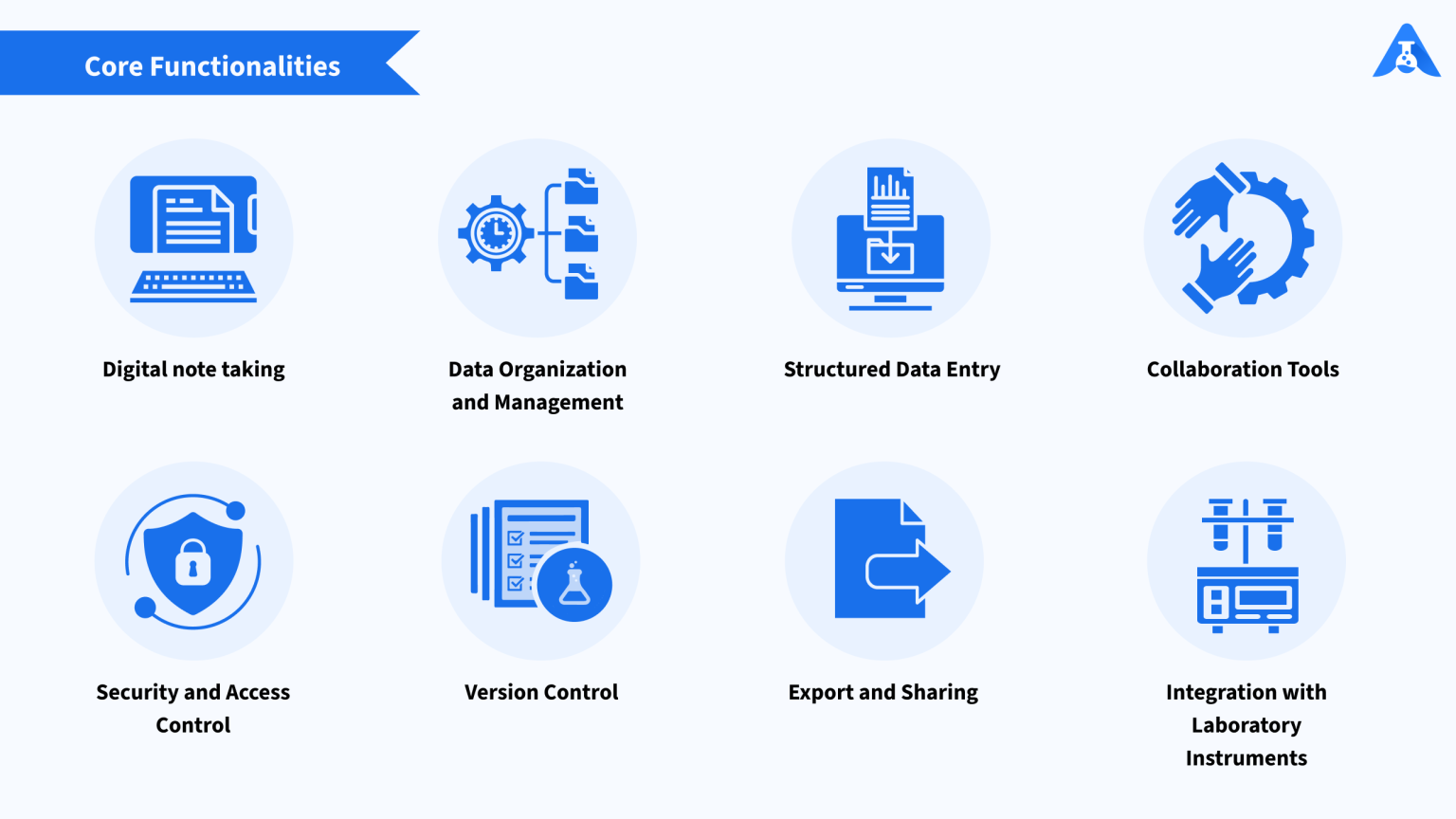
If you are a scientist, engineer, researcher or a laboratory professional, an Electronic Lab Notebook (ELN) is a software system made for you, to assist with recording, organising and managing various documentation like test results, experimental data and notes on your procedures, tasks, etc. It typically provides you with features such as data tables, mathematical & chemical formulas and equations. It also allows you to connect with laboratory devices and instruments for real-time data collection and analysis. Any device with internet connectivity is enough to help you access modern ELNs remotely and can aid in collaboration, data sharing, and compliance with regulations.
Key Features of Logilab ELN
Logilab ELN's capabilities are organized across several key functional pillars:
Data Capture & Execution Templates
Spreadsheet-Style Labsheets: Allows researchers to record and store data in a familiar spreadsheet-style interface with structured, field-based data capture.
Protocol Templates: Standardizes complex scientific workflows and Standard Operating Procedures (SOPs) into multi-step templates, ensuring laboratory processes are strictly followed.
Automated Calculations: Embeds formula-style sheet templates directly within protocols to perform automated calculations, sums, and statistical analysis, minimizing manual calculation errors.
Multi-Format Data Entry: Supports entering data in various formats, including text, attachments, images, and interactive elements.
Chemical Structure Drawing: Features built-in tools to draw and embed chemical structures, reactions, and mechanisms directly into protocols and labsheets, with premium tiers offering Marvin.js support.
Dynamic Inventory & Sample Management
Comprehensive Material Tracking: Allows labs to register, track, and manage samples, reagents, standards, consumables, and instruments.
Usage & Stock Alerts: Monitors usage, stock levels, and expiry dates of materials, triggering automated alerts when supplies are low or nearing expiry.
Custom Labels & QR Codes: Allows creation of custom fields to capture inventory metadata (e.g., batch/lot number, storage location) and generates printable barcodes or QR codes for easy scanning and tracking.
Real-Time Collaboration & Project Management
Global Team Collaboration: Researchers can access the ELN from anywhere through a secure single login, facilitating global, cross-functional teamwork.
Comments and Mentions: Enables real-time discussions directly within the notebook by tagging team members and leaving comments.
Task & Order Tracking: Allows lab managers to create, assign, and track specific task orders and experiment executions within the ELN.
Configurable Workflows: Multi-level, role-based workflows can be configured with sequential steps, requiring step-wise verification and validation (e.g., Scientist initiates, Analyst reviews, and Senior Scientist approves).
Instrument & System Integrations
Direct Instrument Integration: Seamlessly integrates with standalone analytical instruments, file-based systems, and port-based instruments (via RS232 and TCP/IP) to extract precise raw data directly into the ELN.
Qualis LIMS & Logilab SDMS: Connects directly with Qualis LIMS (to transfer validated results) and Logilab SDMS (Scientific Data Management System to retrieve raw instrument files).
Legacy Data Import: Users can import pre-existing Word (SOPs), Excel, or JSON-based experimental templates to ease the transition into a digital workspace.
REST API Support: Offers out-of-the-box integrations and a robust REST API to connect the ELN to ERP, MES, CRM, and other software enterprise systems.
Dynamic Report Generation
Parameter Tagging: Allows users to tag key parameters across multiple, disparate experiments.
Dynamic Summary Reports: Auto-generates real-time, comprehensive, and audit-ready reports using the tagged data to aid proactive decision-making
ELN vs LIMS, SDMS, & LES
Laboratories use different software solutions to manage experiments, samples, scientific data, and workflows. While Electronic Lab Notebooks (ELN), Laboratory Information Management Systems (LIMS), Scientific Data Management Systems (SDMS), and Laboratory Execution Systems (LES) may overlap in some areas, each serves a different primary purpose.
The comparison below highlights the key differences to help you identify the solution that best fits your laboratory's needs.
Purpose
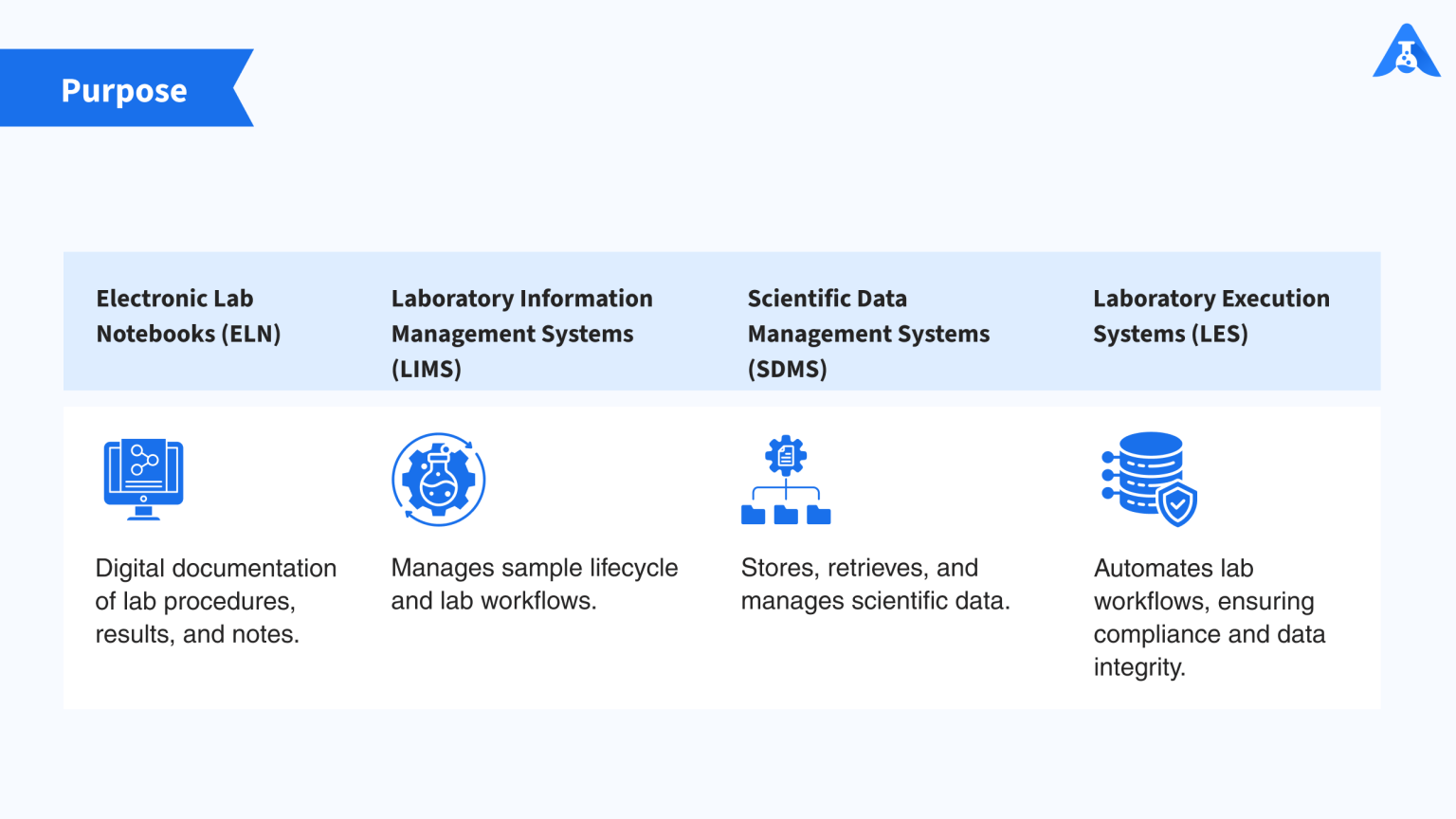
Electronic Lab Notebook (ELN): Primarily designed for documenting experimental procedures, observations, and results in a digital format.
Laboratory Information Management System (LIMS): Focuses on sample management, data tracking, and laboratory workflows throughout the sample lifecycle.
Scientific Data Management System (SDMS): Designed to store, organize, retrieve, and manage scientific data generated by instruments and experiments.
Laboratory Execution System (LES): Focuses on executing and enforcing laboratory procedures, automating workflows, and maintaining data integrity.
Data Management
An ELN provides structured data entry, templates, forms, version control, and search capabilities for managing experimental records.
A LIMS manages sample metadata, locations, tracking, and sample lifecycle information. An SDMS handles large volumes of scientific data through indexing, versioning, storage, and retrieval. An LES captures data in real time while enforcing predefined laboratory procedures and workflows.
Workflow Automation
ELNs may provide basic workflow templates and automation for experiment documentation and data capture.
LIMS platforms can automate processes such as sample registration, inventory management, and result reporting. SDMS solutions generally focus on data capture and management rather than workflow automation. LES platforms provide more advanced automation by enforcing SOPs, integrating instruments, and guiding users through laboratory procedures.
Instrument Integration
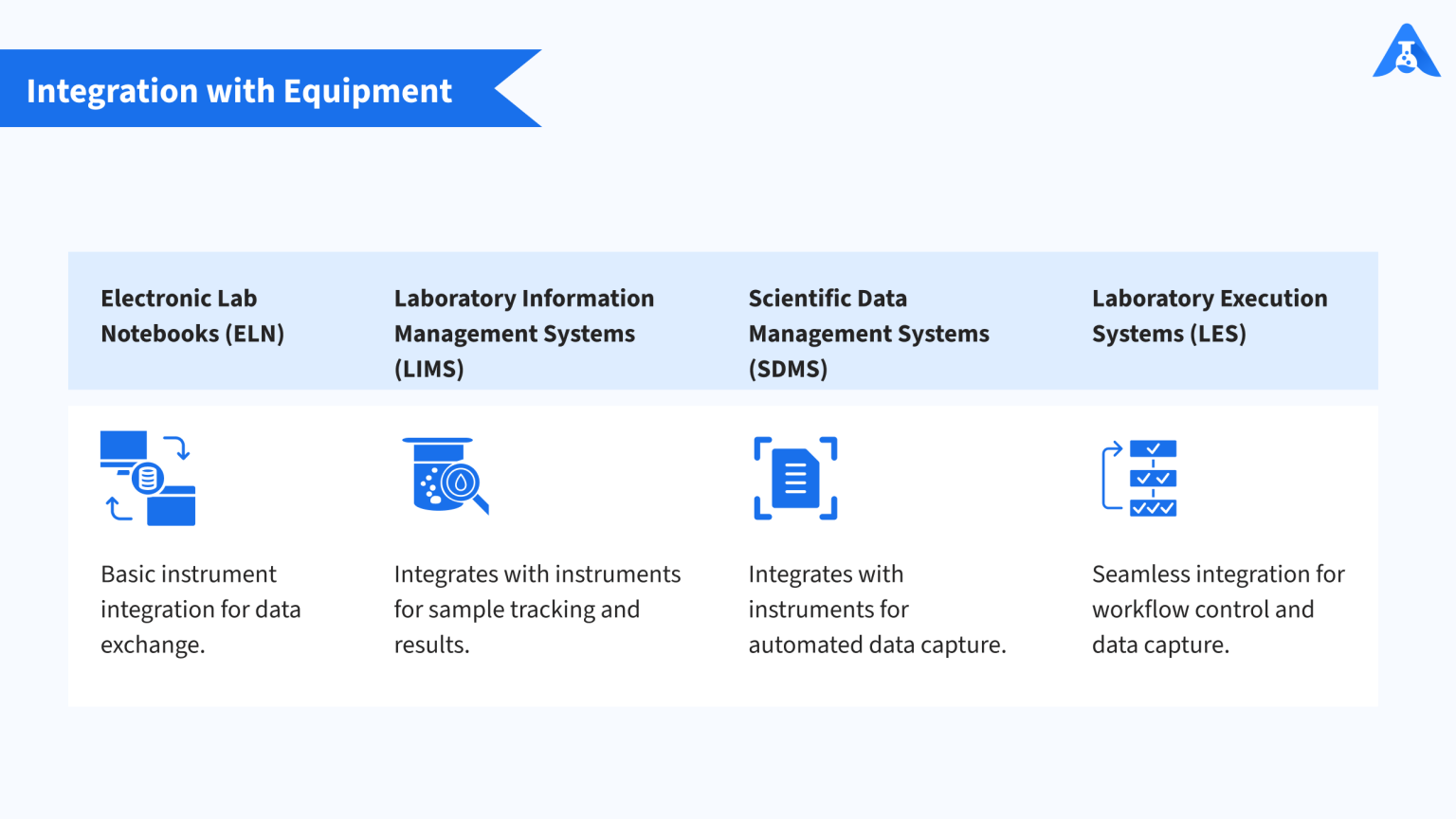
ELNs can integrate with laboratory instruments to import or export experimental data, although integration capabilities vary between platforms.
LIMS solutions connect with instruments for sample tracking and result capture, while SDMS platforms focus on automatically collecting and storing instrument-generated data. LES platforms can provide deeper instrument integration, including automated data capture and workflow-driven execution.
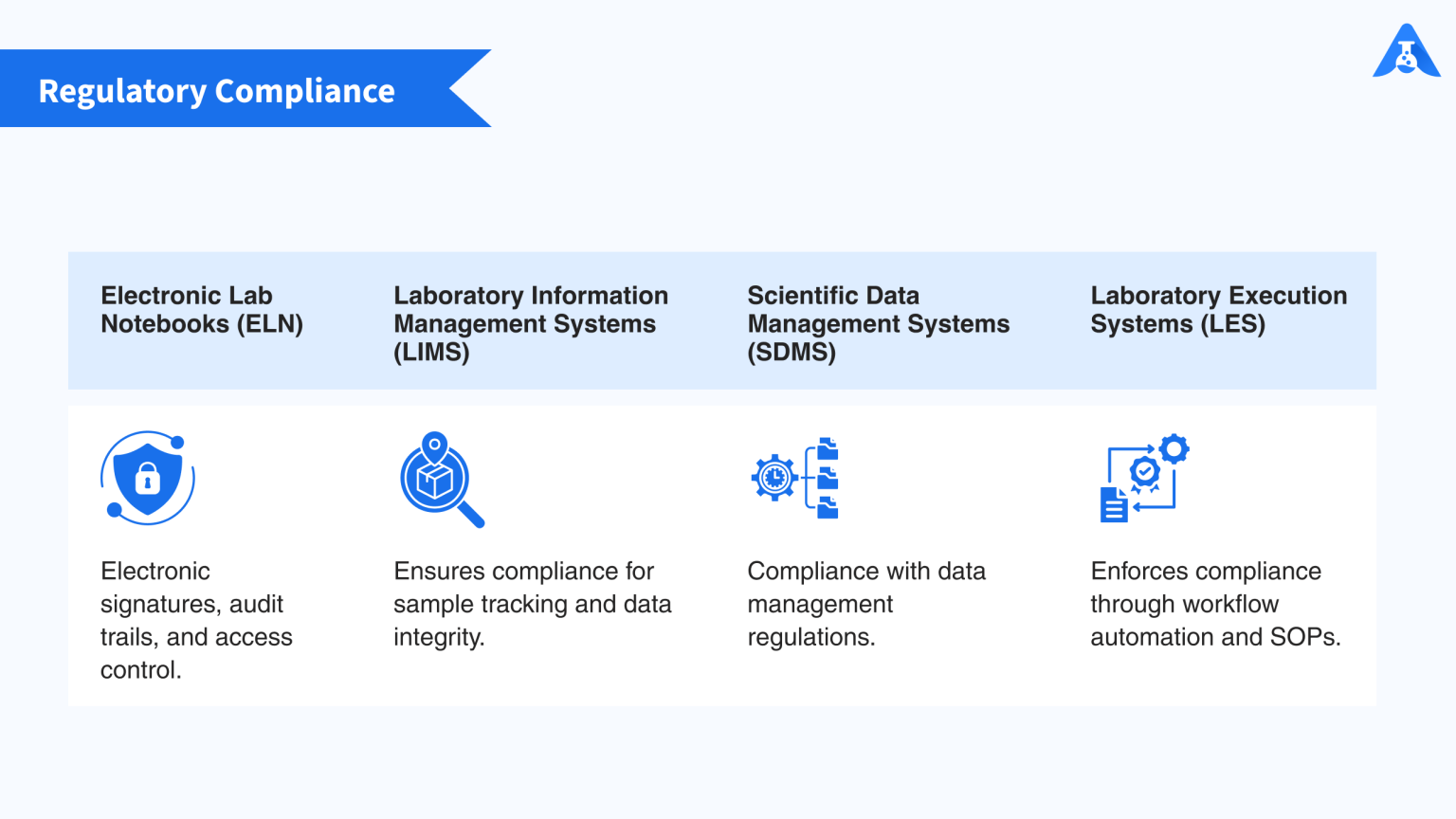
Regulatory Compliance
Compliance capabilities vary across laboratory software solutions.
ELNs can support electronic signatures, audit trails, version control, and access controls. LIMS platforms support requirements around sample traceability, quality control, and data integrity. SDMS solutions provide secure scientific data storage and controlled access, while LES platforms help enforce SOPs and compliance requirements through controlled workflows and audit trails.
Collaboration
An ELN enables researchers to share experiments, observations, and data within a centralized digital environment.
LIMS provides authorized users with access to centralized sample and laboratory information. SDMS enables teams to store and share scientific data, while LES platforms support collaboration through shared workflows and real-time data capture.
Research Data Analysis
ELNs may include basic visualization and statistical analysis capabilities for experimental data.
LIMS platforms can connect with external data analysis tools, while SDMS solutions may support scientific data visualization, mining, and reporting. Some LES platforms also provide real-time analysis capabilities to support experimental monitoring and process optimization.
Documentation
Documentation is a core function of an ELN, which records experimental procedures, observations, results, and supporting information.
LIMS documents sample metadata, lineage, and laboratory processes. SDMS maintains scientific data along with relevant metadata and context. LES platforms document workflows, instrument parameters, and experimental data as activities are performed, supporting end-to-end traceability.
Who Benefits from an ELN?
An electronic lab notebook ELN can benefit teams across research, academia, pharmaceuticals, and biotechnology by making experimental documentation more organized, accessible, and traceable.
Research Laboratories
Scientists and Researchers: ELNs provide a centralized space to record experimental procedures, observations, results, and supporting data. Researchers can easily organize and share information, improving collaboration, reproducibility, and lab metrics.
Laboratory Technicians: ELNs simplify routine documentation, sample tracking, and workflow management. Automated data capture and instrument integration can reduce manual entry and errors, allowing technicians to spend more time on laboratory work.
Academic Institutions
Research Labs: ELNs help modernize research documentation, improve data management, and support collaboration between researchers. They can also help students learn good laboratory practices and maintain consistent experimental records.
Universities and Colleges: ELNs give students practical experience with digital research documentation, data analysis, and collaboration. They can support thesis projects, academic research, and scientific publications.
Pharmaceutical and Biotechnology Companies
Drug Discovery and Development: ELNs help research teams manage experimental data, document procedures, collaborate across projects, and maintain traceability throughout drug development. They can also work alongside laboratory information management systems and other laboratory platforms.
Quality Control and Assurance: ELNs provide structured documentation, audit trails, access controls, and electronic signatures that support data integrity and regulatory requirements. For regulated environments, these capabilities can support compliance with requirements such as 21 CFR Part 11.
Regulatory and Funding Organizations
Regulatory Agencies: Digital laboratory records provide greater visibility into experimental documentation, data integrity, traceability, and audit history during inspections and reviews.
Research Funding Organizations: ELNs can improve transparency by providing organized research records that help demonstrate project progress, methodology, and research outcomes.
How ELN Enables Paperless Labs
Moving from paper-based documentation to a paperless laboratory can simplify data capture, improve accessibility, and reduce manual work. An Electronic lab notebook (ELN) brings experimental records, workflows, and supporting data into a centralized digital environment.
1. Centralized Data
ELNs store experimental data, protocols, observations, and results in one place. Researchers can quickly search, retrieve, share, and manage laboratory information without relying on physical notebooks.
2. Instrument Integration
ELNs can connect with laboratory instruments to capture data directly in digital format. This reduces manual data entry, minimizes transcription errors, and saves time.
3. Electronic Signatures
Electronic signatures allow researchers to review and approve records digitally. Combined with audit trails and access controls, they support data integrity and regulatory compliance.
4. Remote Access and Collaboration
Researchers can access experiment records and collaborate with colleagues from different locations. This makes it easier to share information, review work, and maintain consistent documentation.
5. Reduced Paper Usage
By replacing physical notebooks, printed forms, and paper-based records, ELNs reduce paper consumption and laboratory waste. This supports more efficient and environmentally sustainable laboratory operations.
How to Replace Legacy Lab Systems with ELN: Step-by-step Guide
1. Assess and Plan
Evaluate your current systems, workflows, data management practices, and user requirements. Define clear goals for the ELN, such as improving data accessibility, collaboration, efficiency, and compliance.
Involve key stakeholders, including researchers, laboratory technicians, IT teams, administrators, and management.
2. Define Requirements
Gather requirements from end users and identify the functionality, integrations, security, scalability, and compliance capabilities your laboratory needs.
Consider compatibility with existing infrastructure, laboratory instruments, and other systems.
3. Select an ELN Vendor
Research suitable ELN providers and compare their functionality, cost, integrations, support, security, and experience in your industry.
Request demos, evaluate proposals, and speak with existing customers where possible before making a decision.
4. Configure the System
Work with the selected vendor to configure the ELN according to your laboratory workflows.
Set up templates, forms, workflows, user roles, permissions, and integrations while avoiding unnecessary customization that could complicate future updates.
5. Migrate Existing Data
Create an inventory of data in your legacy system, including experiment records, protocols, sample information, and metadata.
Map legacy data fields to the new ELN structure and migrate the information using appropriate tools or processes. Validate the migrated data for accuracy, completeness, and integrity.
6. Train Users
Provide role-based training for researchers, technicians, administrators, and other users. Training should cover everyday workflows, documentation practices, and relevant system features.
Collect feedback during training and provide ongoing support to address usability issues and encourage adoption.
7. Test and Validate
Test the ELN for functionality, performance, security, integrations, and data integrity before deployment.
For regulated laboratories, validate the system according to applicable requirements and maintain appropriate validation documentation.
8. Deploy in Phases
Start with a pilot involving a small group or department. Use the pilot to identify issues, collect feedback, and refine workflows.
Once the system performs as expected, expand the deployment across the laboratory or organization with appropriate training and support.
9. Monitor and Improve
After implementation, monitor system performance, usage, and user feedback. Make improvements as laboratory requirements change and new capabilities become available.
Work with the ELN provider to resolve issues, implement useful enhancements, and maintain the system over time.
10. Document and Transfer Knowledge
Document system configurations, workflows, migration activities, training materials, and implementation decisions.
Transfer system knowledge to internal administrators who will manage the ELN and support users after implementation.
Conclusion
Electronic Lab Notebooks (ELNs) transform traditional paper-based laboratory processes into efficient, secure, and connected digital workflows. By centralizing experimental data and supporting structured documentation, version control, collaboration, electronic signatures, and data integrity, ELNs help laboratories improve efficiency while supporting regulatory compliance. As research teams move toward digital transformation, an electronic lab notebook (ELN) provides a reliable foundation for better data management, collaboration, and scientific innovation.
Logilab ELN has already stood up to a real USFDA audit. See exactly how, with a live walkthrough of the audit trails, e-signatures, and version control that made that possible. Schedule your personalized ELN demo today!
- Why Labs Need ELN
- What is an Electronic Lab Notebook?
- Key Features of Logilab ELN
- ELN vs LIMS, SDMS, & LES
- Who Benefits from an ELN?
- How ELN Enables Paperless Labs
- How to Replace Legacy Lab Systems with ELN: Step-by-step Guide
- Conclusion

Related articles

Data Traceability in Laboratories: Why It Matters
What Is Laboratory Traceability Laboratory traceability is the ability to trace the complete history of a s...

Clinical Research Data Management Best Practices
Managing Clinical Data Clinical research produces an immense and steadily growing volume of data across eve...

Managing Clinical Trial Samples with LIMS
Introduction: From Patient to Proof Clinical trial sample management is far more complex than routine labor...
 Contact Us